How to Make Wedding Invitations in Canva (+ Wording Examples)
How to design wedding invitations in Canva with editable templates — plus wording examples for formal and casual celebrations.

On this page
Key Takeaways
How to design wedding invitations in Canva with editable templates — plus wording examples for formal and casual celebrations.
Your wedding invitation is the first glimpse guests get of your big day. With an editable Canva template, you can create an elegant, personalized invitation without hiring a designer. Here's how — plus wording examples you can copy.
1. Choose your style
Pick a design that matches your wedding's tone — minimalist, floral, modern, or classic. Browse our wedding invitation templates to find the right fit.
2. Personalize it in Canva
Open the editable link we email you and replace the placeholder text with your names, date, time, and venue. Adjust colors and fonts to match your palette. No Canva Pro required.
3. Wedding invitation wording examples
Formal:
“Together with their families, Emma Carter and James Lee request the pleasure of your company at their wedding on Saturday, the twelfth of June, two thousand twenty-six, at four o'clock in the afternoon.”
Casual:
“We're getting married! Join Emma & James for an evening of love, laughter, and celebration. June 12, 2026 · 4:00 PM · The Garden Terrace.”
Simple:
“Emma & James are tying the knot. Saturday, June 12, 2026, at 4 PM. Reception to follow.”
4. Don't forget the details
Include the date, time, venue, dress code (if any), and RSVP information. For extra pieces like RSVP cards or details cards, choose a matching set so everything coordinates.
5. Print or send
Download as a print-ready PDF for cardstock printing, or as an image for digital save-the-dates and reminders.
Ready to design yours? Browse our wedding templates, or let us personalize it for you with our We-Edit option.
Make your invitation in 2 minutes
Type your details, see a free preview, and download a print-ready PNG and PDF right away. No design skills, no Canva needed.
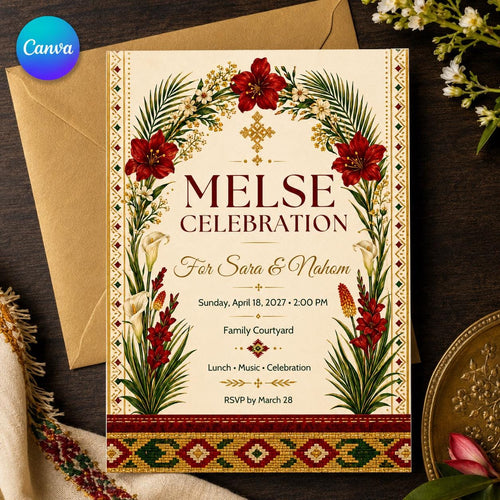
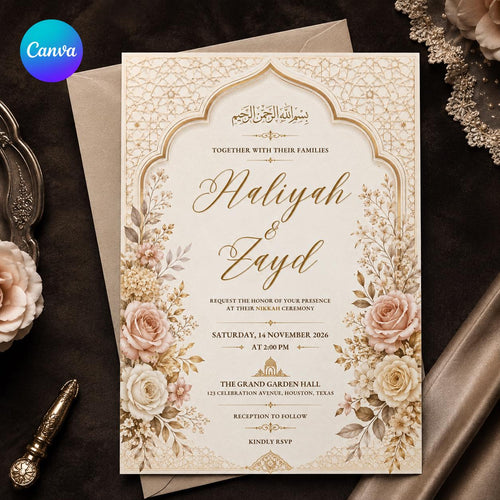
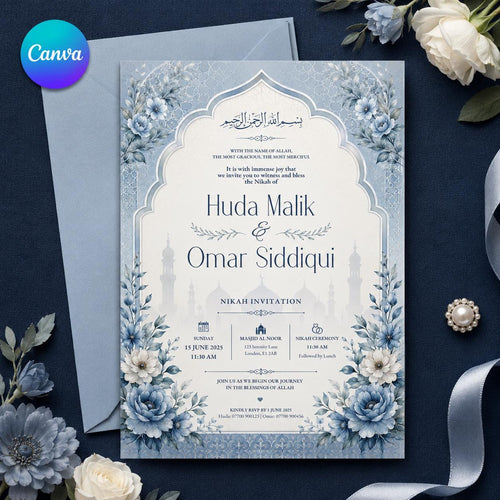
Shop Templates From This Guide

Frequently Asked Questions
Do I need a paid Canva account?
No. Every VoltBy template works with a free Canva account. You will never be asked to upgrade to Canva Pro to edit or download your design.
Can I print these at home or at a print shop?
Yes. You can print at home, at a local print shop, or through an online printer. You can also share your invitation digitally by text, email, or social media.
Can I personalize the text, colors, and details?
Absolutely. You can edit names, dates, wording, colors, and fonts directly in Canva. Prefer not to do it yourself? Choose the we-edit option and we will personalize it for you.
Is anything shipped to me?
Nothing is shipped. VoltBy templates are digital. After purchase you receive your design by email, ready to edit, print, or share.
Ready to make yours?
Pick a design, edit it yourself in Canva, or let us personalize it for you. Delivered straight to your inbox.